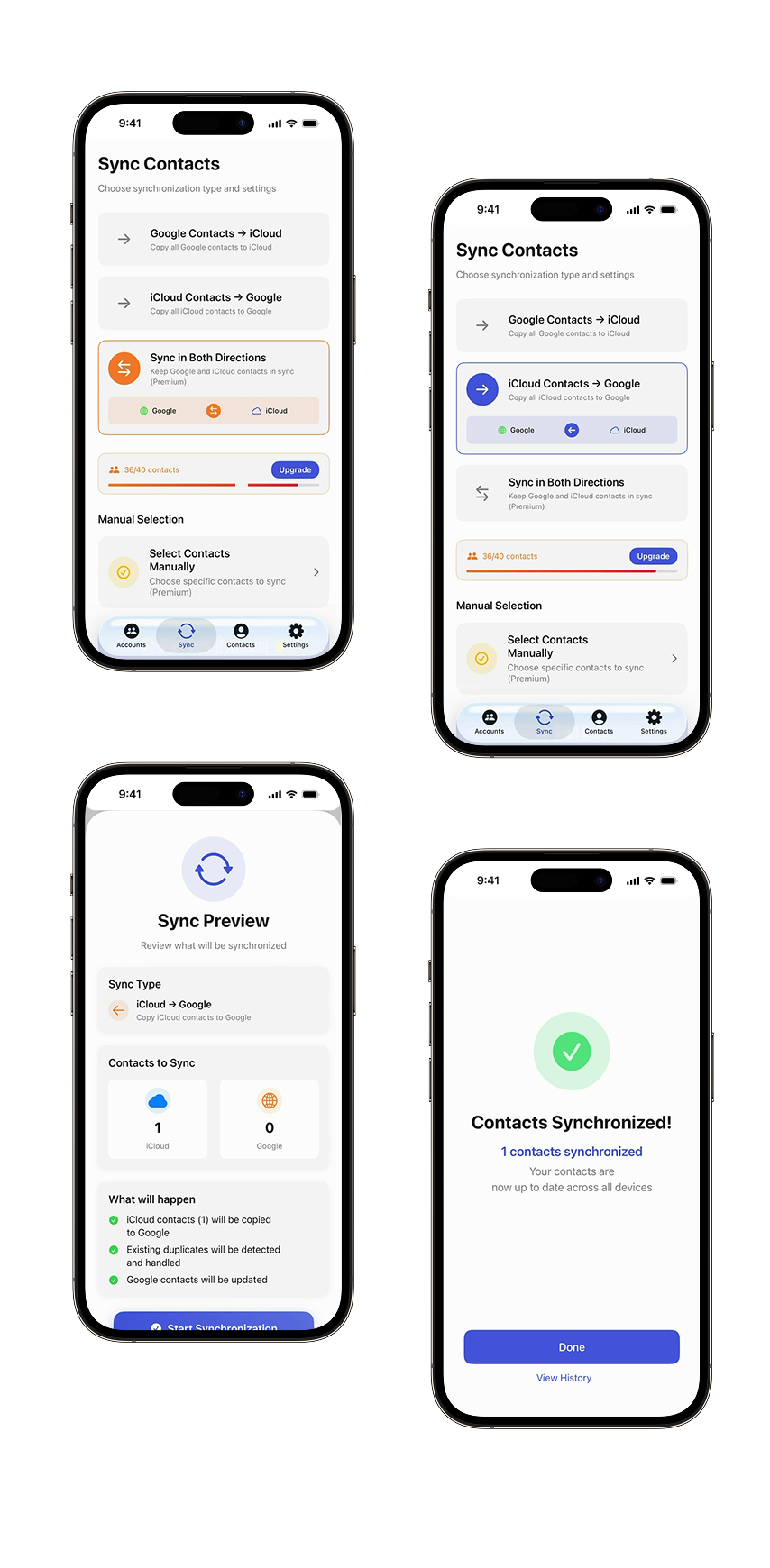
Sync and manage your contacts across iCloud and Google — effortlessly
Keep all your contacts organized, synced, and backed up with one simple app.
✔Import contacts from iCloud & Google
✔Add & edit contacts locally
✔Sync in any direction
✔Clean duplicates and export to CSV
✔Import contacts from iCloud & Google
✔Add & edit contacts locally
✔Sync in any direction
✔Clean duplicates and export to CSV
Why choose ContactsSyncApp?
A faster, cleaner, and safer way to manage your contacts across platforms.
- Multi-platform
syncingInstantly sync iCloud and Google contacts in any direction. - Full contact
controlAdd, edit, and delete contacts — changes reflect directly in the source accounts. - Duplicate
cleanupAutomatically detect and remove duplicates to keep your list clean. - Secure backups & CSV exportExport all your contacts to CSV for backup, migration, or sharing.
How ContactsSyncApp Works
Simple steps to keep your contacts organized and always up to date.
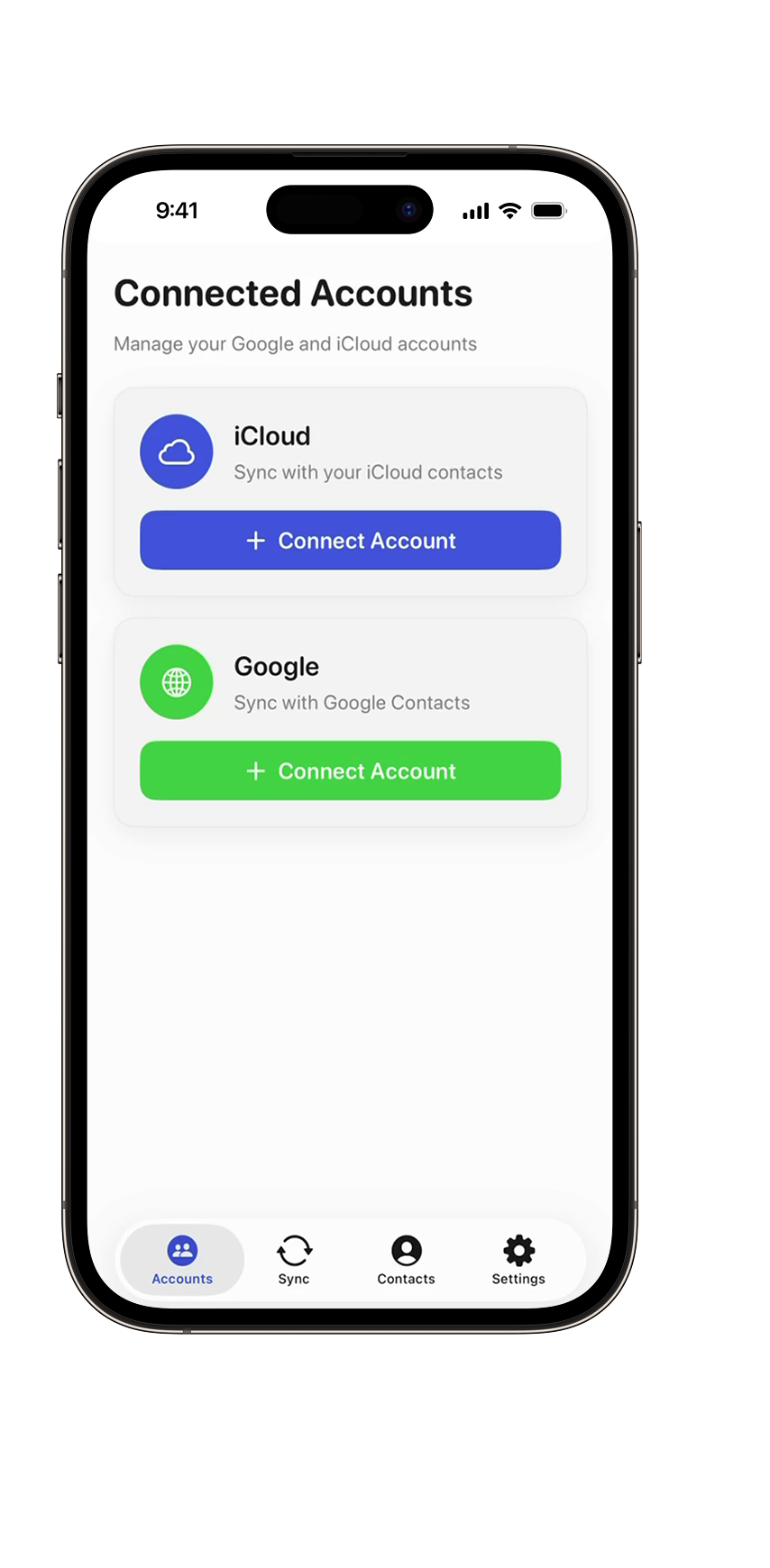
Connect your accounts
Sign in with iCloud and Google to load your contacts instantly.
Choose sync direction
Sync from iCloud to Google, from Google to iCloud, or both ways.
Manage your contacts
Add new contacts, edit existing ones, or delete outdated entries.
Export & backup
Save all contacts as CSV or create instant local backups.
All the tools you need in one app
ContactsSyncApp includes everything for clean, synced, and well-organized contacts.
📥 Import from iCloud & Google
Load all contacts or only selected ones from your accounts.
➕ Add contacts locally
Create new contacts directly inside the app.
✏️ Edit or delete contacts
All changes sync back to iCloud or Google automatically.
📤 Share contacts instantly
Send any contact using standard iOS sharing tools.
🔄 Flexible sync modes
iCloud → Google, Google → iCloud, both directions, or selected contacts only.
📜 Sync history
Track every sync operation with detailed logs.
💾 Export to CSV
Download your full contact list for backups or transfers.
🧹 Duplicate detection & removal
Find and clean duplicate entries in a single tap.
📥 Import from iCloud & Google
Load all contacts or only selected ones from your accounts.
➕ Add contacts locally
Create new contacts directly inside the app.
✏️ Edit or delete contacts
All changes sync back to iCloud or Google automatically.
📤 Share contacts instantly
Send any contact using standard iOS sharing tools.
🔄 Flexible sync modes
iCloud → Google, Google → iCloud, both directions, or selected contacts only.
📜 Sync history
Track every sync operation with detailed logs.
💾 Export to CSV
Download your full contact list for backups or transfers.
🧹 Duplicate detection & removal
Find and clean duplicate entries in a single tap.